DAY OWLS / COMMON GROUND
An island.
People.
What happens next?
A simulation of human nature after being stranded. Watch individual people make plans, meet their needs, form relationships and decide what kind of future they want.
Version 0.10.3 · Windows 64-bit · About 43 MB · Free prototype
OBSERVE, DON'T COMMAND
Survival doesn't guarantee cooperation.
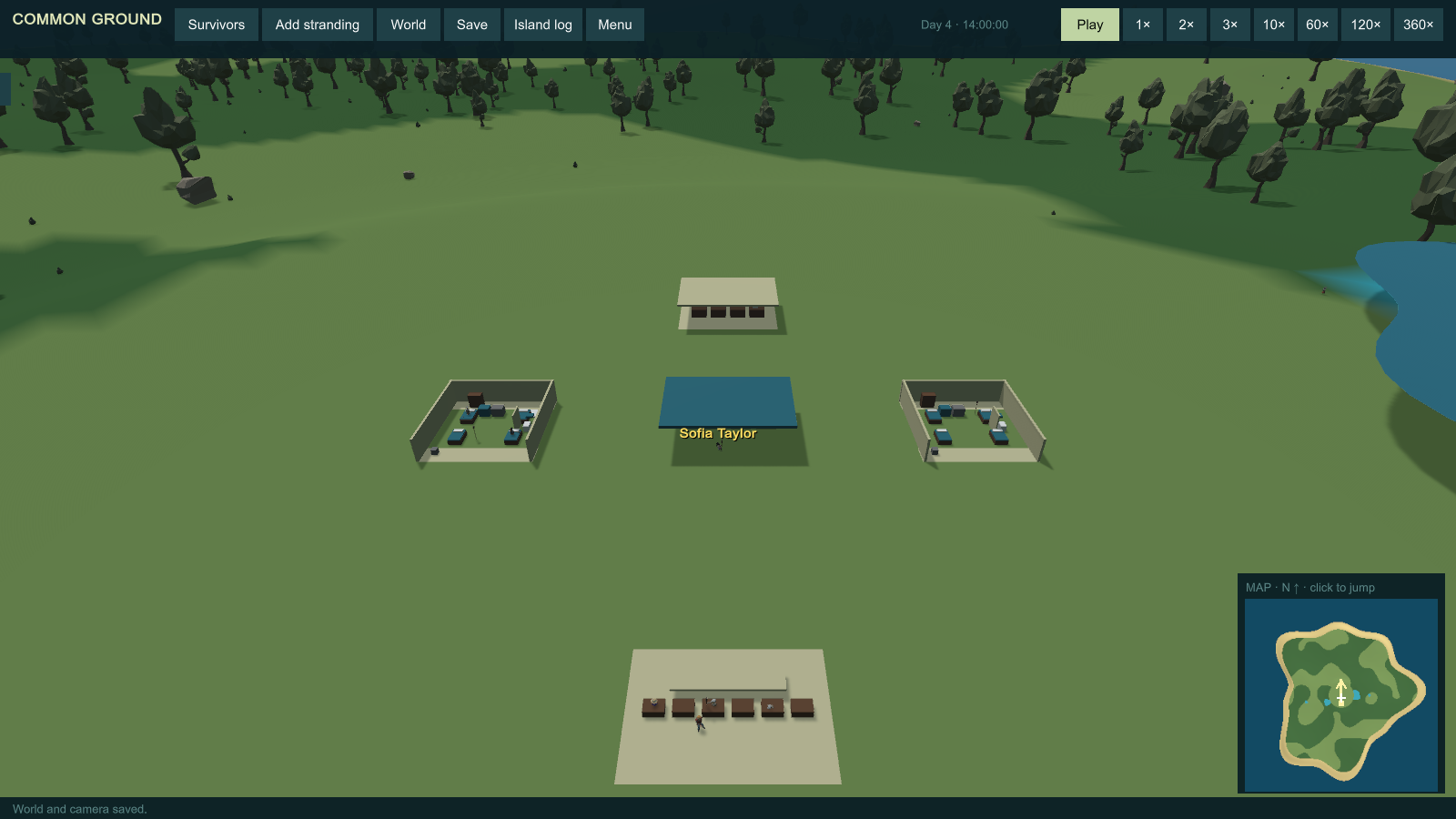
Begin with an empty, seeded island. Choose how a group arrives, then observe each survivor's needs, skills, beliefs, personal values and relationships. Some may cooperate. Others may distrust one another, prefer solitude, wait for rescue or investigate escape.
This is an early simulation, not a colony-building puzzle with one correct society. Food, water, shelter and fire matter, but so do assumptions, family ties and competing intentions. Pause whenever you want to inspect the decisions behind what you see.
TWO WAYS TO TEST
Start with comfort.
Then add pressure.
Paradise: a size-1 island with two four-person houses, a shared unlimited market, workshop, bathrooms, kitchen facilities and a common garden. Add people yourself and watch their ordinary routines.
Natural island: explore generated terrain and resources. Choose stranding scenarios and observe survival, relationships and uncertain plans for rescue or escape.
World-generation settings let you switch weather, dangerous wildlife encounters, poisonous plants, fire spread and finite natural resources on or off.
YOUR FIRST ISLAND
How to play
- Install and open Day Owls. Run the single installer, then choose Common Ground. This preview's launcher checks its installed files; new installers provide new versions.
- Create a world. Choose New Game, set the seed and island size, then Generate World. For an easy baseline, enable Paradise test island. Its furnished houses have eight beds total.
- Add the people. The island starts empty. Use Add stranding, choose a scenario and group size, preview the group, then land it. Voluntary settlers are a useful Paradise baseline.
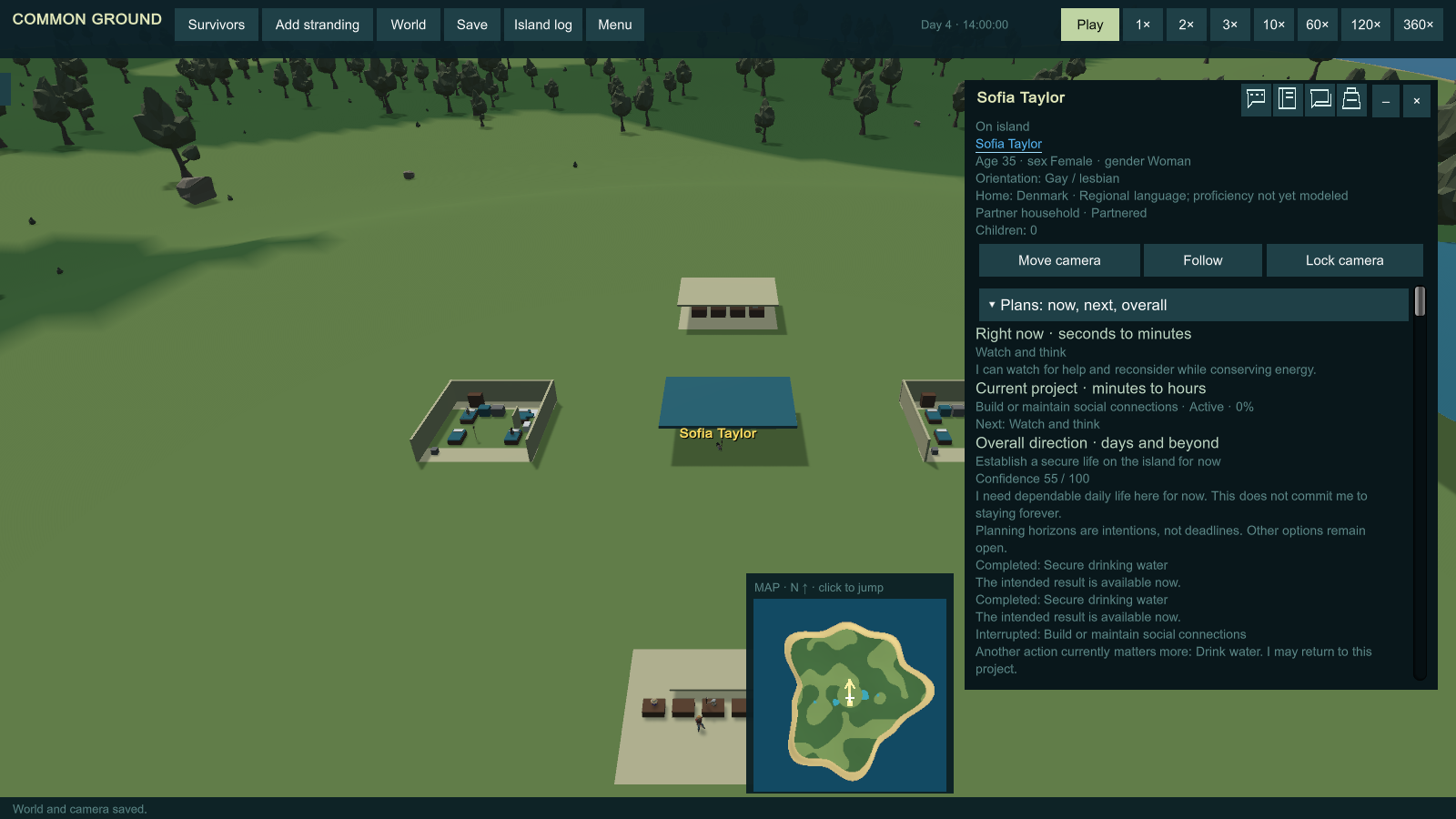
- Play, pause and investigate. Use the speed buttons or Space. Click a person for their current activity, three planning levels, stats, relationships, inventory, thoughts and journal.
- Explore the world. Move the camera or use the minimap to jump. Drag a rectangle with the left mouse to limit sidebar searches to that region; World → Reset region returns to the whole island.
- Save your experiment. Use Save and Continue. The prototype currently uses one Continue save, so back it up before replacing an island. World → Routines and experiments shows routine counters and proposed experiments.
Default controls
- W / A / S / D
- Move the camera
- Shift / Ctrl
- Move up / down
- Q / E
- Rotate around the current focus
- Right mouse + drag
- Grab the ground and move the camera
- Middle mouse + drag
- Look around
- Mouse wheel
- Zoom
- Space / F11
- Pause time / fullscreen
Rebind keys and mouse buttons in Settings → Controls. Escape stays available to close menus.
HELP US UNDERSTAND WHAT HAPPENED
Share a save for analysis.
A saved island includes generated survivors, their needs, relationships, thoughts, journals, decisions and world history. Submissions go to a private Day Owls development inbox. They are available for later review; uploading is not a live conversation or a guarantee of an individual response.
From the game
Open Settings → Save sharing for analysis. Automatic sharing starts off. If you enable it, the game can submit saved worlds at most once every 30 minutes. You can switch it off or send once manually.
Automatic submissions replace the previous automatic snapshot for that installation and island. Manual submissions are kept separately. Submissions expire after 30 days. Current upload limits may temporarily prevent sharing; your local save is unaffected.
Find your save for a manual upload
Paste this folder into Windows File Explorer:
%USERPROFILE%\AppData\LocalLow\Day Owls\Common Ground ExplorerChoose world-explorer-v1.json. Only that selected file is uploaded. Do not upload personal documents.
Early prototype: basic building art and animation, bounded AI behavior and a small supported experiment set. Unsupported invention proposals are recorded for future development; they do not magically create new tools.
Watch a different story unfold.
Download Common Ground 0.10.3 ↓Windows may show an unknown-publisher notice for this unsigned prototype. Your downloaded game and saves stay on your computer unless you choose to share a save.