Install & update
- Download Rogue Racing 0.1.13 for Windows.
- Extract the entire ZIP into a folder you can write to. Keep the executable, game data and launcher together.
- Open DayOwlsLauncher.exe. It checks for signed game updates before starting the game.
Already have the launcher? Close the game and open the launcher again to update. Your profiles and saves are stored separately from the installed game versions. Launching RogueRacing.exe directly plays the installed copy without checking for updates.
The playtest is a Windows 64-bit desktop download. If an update cannot finish, check your connection and free disk space, then retry the launcher. Keep the previous installation until the new one opens successfully.
Your first race
Choose Enter Garage, create a driver, and take the guided training. The three laps introduce the movement preview, reading the circuit without the preview, and driving from the cockpit. Training can be replayed from Settings.
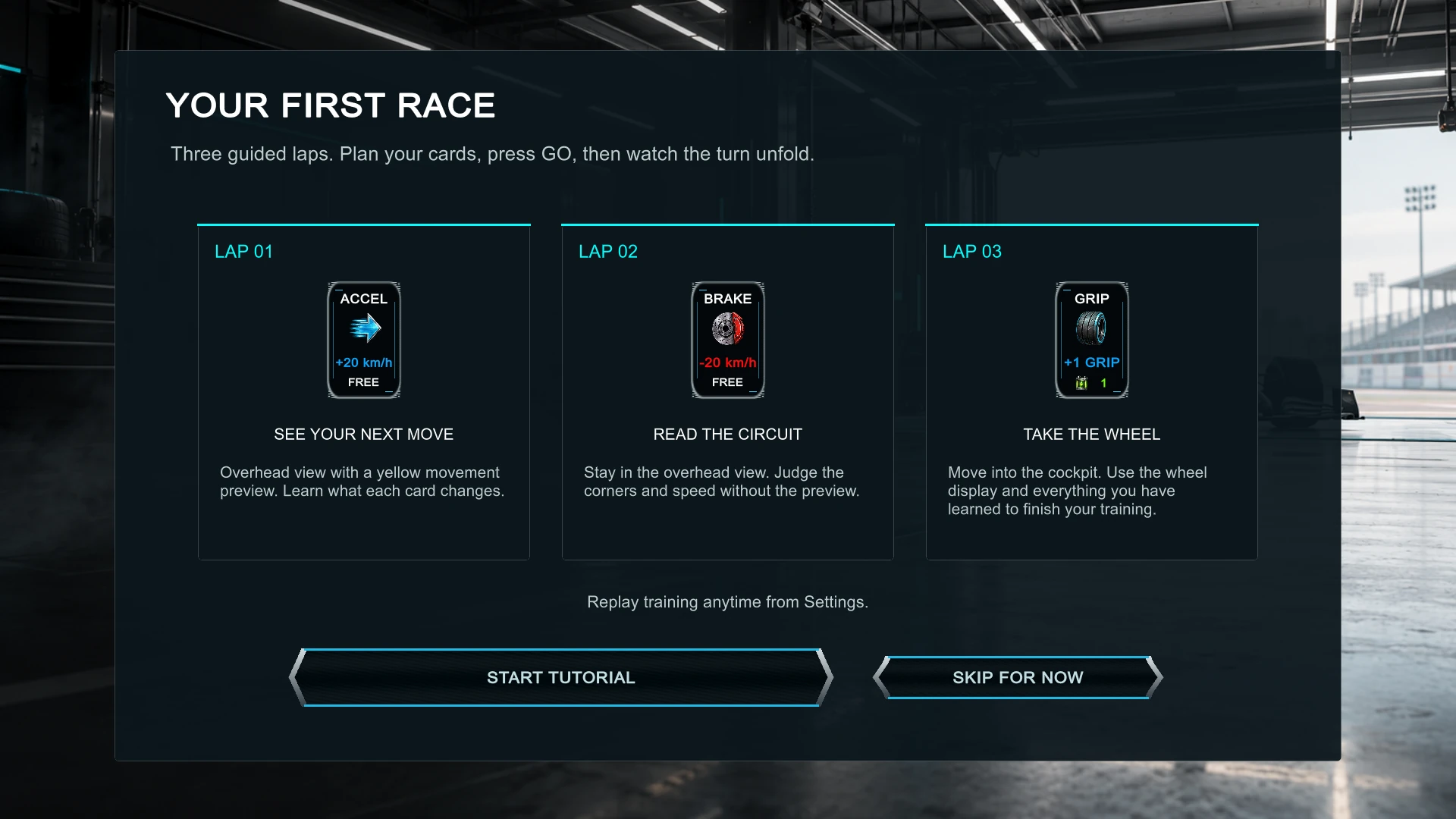
For a quick event, choose Single Race and a circuit. You can adjust your saved deck before the race. Opponents use several randomized deck variants. Career begins with a modest deck: its acceleration and braking cards change speed by 20 km/h. Rivals use developed decks.
Race controls
| Action | How it works |
|---|---|
| Select a card | Click it to enlarge it and read its effect. |
| Play the selected card | Click it again. The original card position remains a usable target. |
| Keep a card | Right-click a card to lock or unlock it. |
| Advance the race | Press the GO pedal after planning your cards. |
| Redraw | Use the circular redraw control. It spends battery and is limited to once per turn. |
| Request a pit stop | Use the octagonal P control to arm your pit entry. |
| Pause / leave | Press Escape for the race menu. Exiting without saving keeps the last autosaved checkpoint. |
| Finish the cooldown | Use Skip to advance to the results. |
Grip, battery & fuel
Speed sits above the wheel’s track map. Grip and battery are on the left; the fuel gauge is on the right. The E–F bar gives a quick reading, while the number shows remaining fuel distance.
- Grip helps you cope with corner checks. Entering too fast can turn an apparent advantage into a recovery.
- Battery pays for card effects and redraws. Check the cost at the bottom of each card.
- Fuel starts at 3,500 m for every driver, and a completed pit service refills the tank. Plan around the actual circuit length and the cards in your deck.
Pit Preparation shortens your next service; playing it does not itself request pit entry.
Once per race: Pit Preparation and Miracle cannot be recovered with Service Kit. Other limited-use cards show their remaining use count. Service Kit can restore eligible exhausted cards.
Build your deck
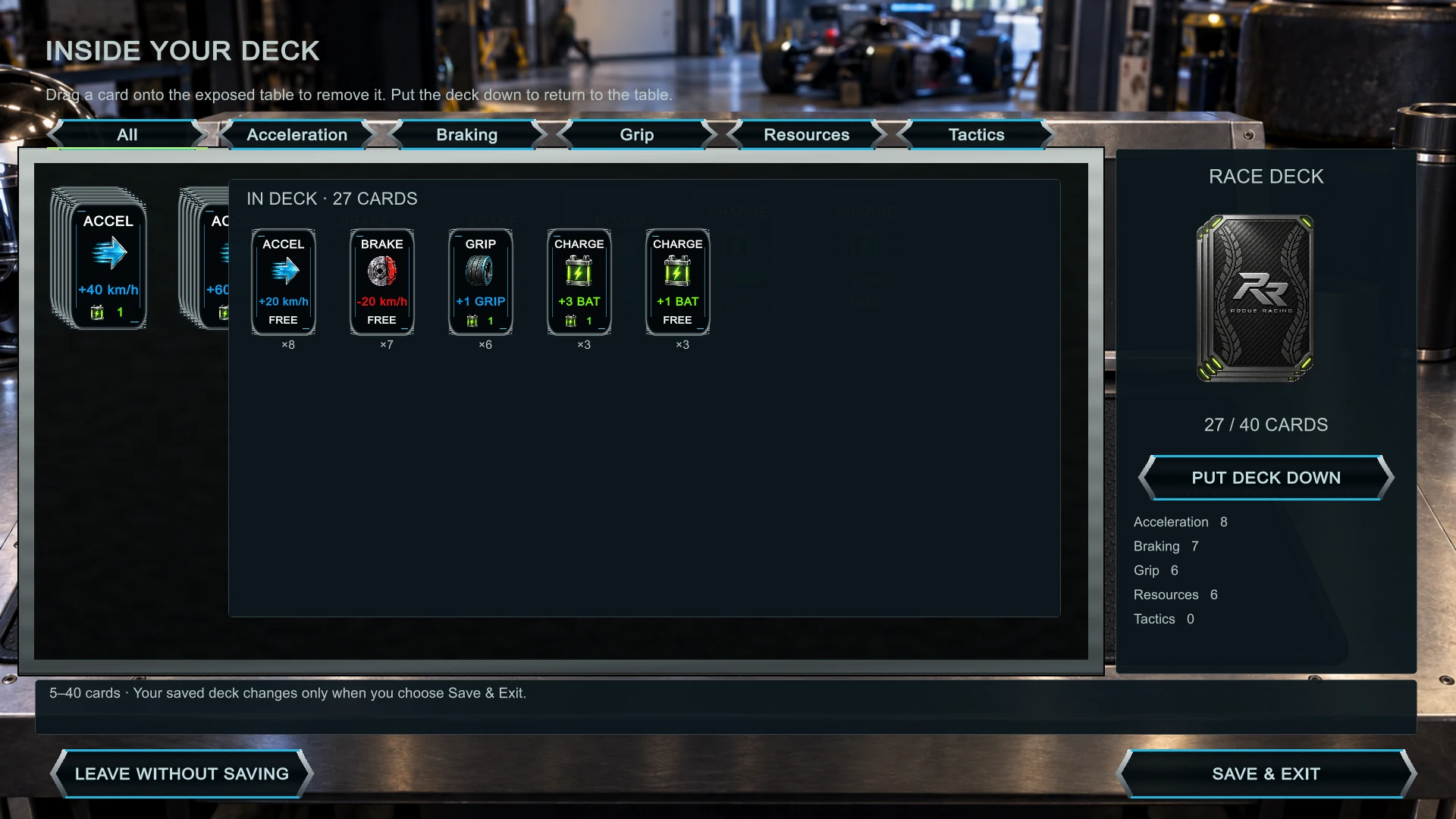
Use the deck icon before a race or from the career screen. Drag loose cards onto the deck. Click the deck to pick it up and inspect its contents by category. Drag a card from the open deck onto the exposed table to remove it, then put the deck down to continue.
A race deck holds 5–40 cards. Choose Save & Exit when you’re happy with it. Leaving without saving discards the deck edits.
Packs & the card shop
| Pack | Contents | Price |
|---|---|---|
| Speed / Braking / Grip | Three themed cards + two from other themes | $80 |
| Mixed | Five random cards | $60 |
All prices use in-game career cash. Every pack has the same rarity split: a 50% chance of three Common and two Uncommon cards, or a 50% chance of four Common and one Rare. Duplicate cards are possible. New discoveries become eligible for individual purchase after the next race.
Career & choices
A career has 16 races in four groups, with a bigger race at the end of each group. Poor results create setbacks rather than ending the season early. Select a destination on the globe to see its race information.
Team totals combine both drivers’ race points. In the shop’s Team Development tab, spending a championship point reduces your driver standing and grid position; every five invested points earns a 5% improvement in straight-line speed or battery recharge for both team cars. The development cap increases each group.
After results, continue to a break with three illustrated invitations. Their order varies. Pick one, read the situation and choose a response. Cash, points, relationships and team development can be affected; costs and risks appear with the choices. You can leave story threads unfinished. Some invitations return if you skip them, and race incidents can add a separate encounter.
The current story pilot contains one eight-part storyline, two shorter stories and five individual events. A main-story reward can arrive before the final race, with its closing scene after the season.
Results & highlights
The debrief opens on your driver. Select another name in the standings to view their telemetry. Choose a lap and click a section of the track or speed graph to inspect the cards actually played there.
The continuous reference speed line provides a flowing target around the lap. It does not calculate a perfect solution for your particular deck. Use it to spot patterns in braking, corner speed and acceleration.
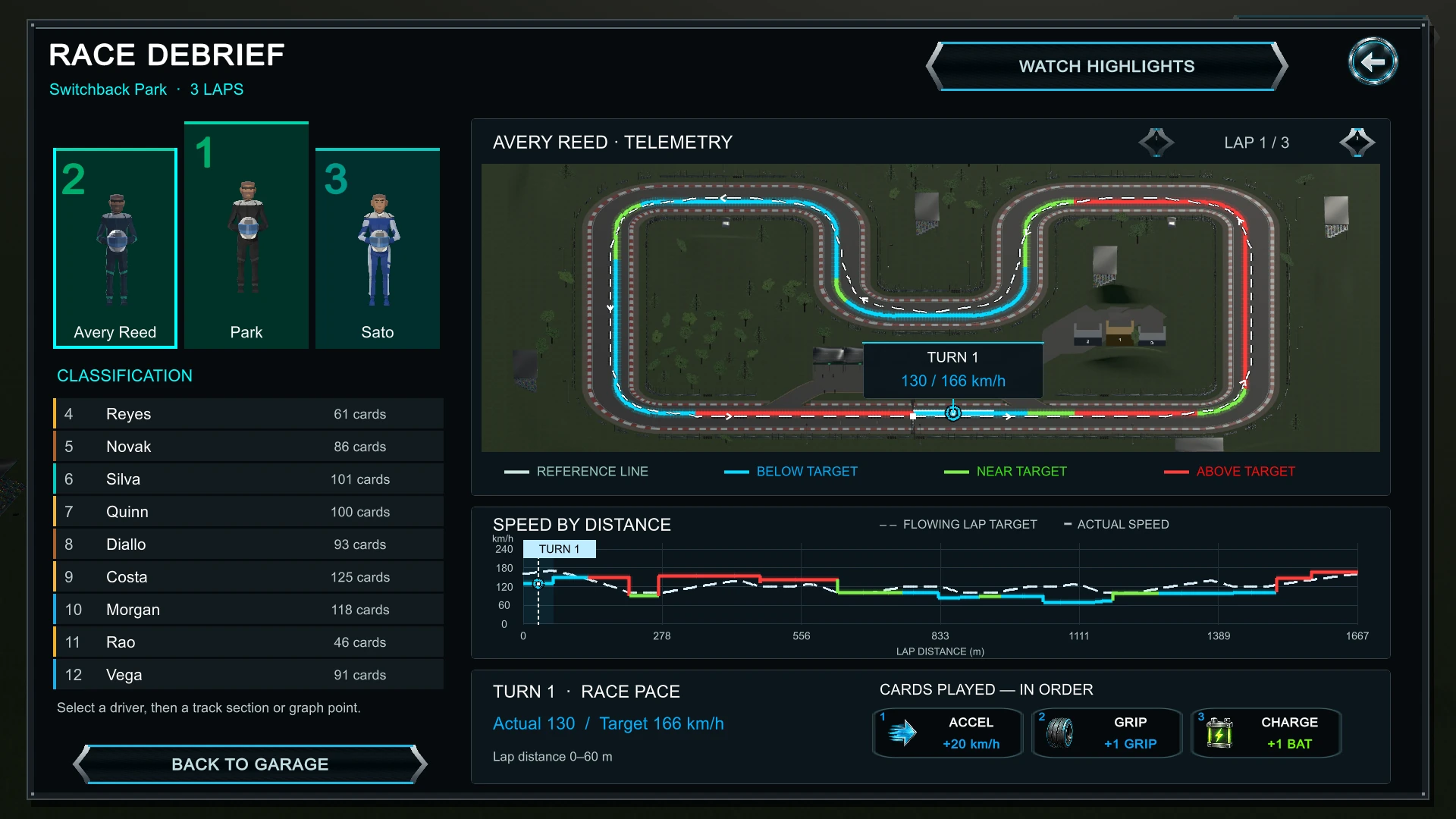
Choose highlights to watch a 30–60 second reel including the start, finish and notable action. The camera angle changes between clips, with captions for the events being shown. Press Escape to return to results immediately.
Track Design Studio
Enter the studio from the title screen. Build connected track pieces, validate the circuit and take a test drive. Test-drive saves are separate from your normal race. The studio is still being developed; save your draft as you go.
Feedback & privacy
Use the circular bug icon in the game to report a problem. Include the circuit, what you were doing, and what you expected. Settings includes privacy controls for play reporting and optional diagnostic details. Reports that cannot be sent are queued locally for a later retry.
Profiles, career progress, story choices and race recordings are saved locally. The launcher contacts day-owls.com for updates. Submitted reports and enabled play reports go to the Day Owls feedback service. This site does not add advertising or third-party analytics scripts.
Rogue Racing is an evolving playtest. Balance, story content and editor tools are still being refined. All screenshots in this guide were captured from 0.1.13.
Read the current release notes →